Ever wondered what whispers your computer leaves behind? System logs hold the secrets—tracking every action, error, and event. Dive in to uncover how these silent records shape security, performance, and peace of mind.
What Are System Logs and Why They Matter

System logs are digital footprints generated by operating systems, applications, and network devices. They record events such as user logins, software crashes, security breaches, and hardware failures. These logs are not just technical jargon—they are essential tools for maintaining system health, ensuring compliance, and investigating incidents.





The Anatomy of a System Log Entry
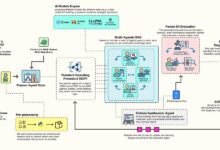
Every log entry contains structured data that helps administrators understand what happened, when, and where. A typical entry includes:
- Timestamp: The exact date and time of the event.
- Log Level: Severity classification (e.g., INFO, WARNING, ERROR, CRITICAL).
- Source: The component or service that generated the log (e.g., kernel, firewall, application).
- Event ID: A unique identifier for the type of event.
- Message: A human-readable description of the event.
- User/Process ID: The user or process responsible for the action.
Understanding this structure is crucial for effective log analysis. For example, a log entry showing ERROR: Failed login attempt from IP 192.168.1.100 immediately signals a potential security threat.
Common Types of System Logs
Different systems generate different types of logs. Here are the most common:
- Kernel Logs: Generated by the operating system kernel, tracking hardware interactions and low-level events.
- Security Logs: Record authentication attempts, access control changes, and policy violations.
- Application Logs: Created by software applications, detailing their internal operations and errors.
- Network Logs: Capture traffic flow, firewall activity, and connection attempts.
- Audit Logs: Used for compliance, tracking who did what and when.
For instance, in Linux systems, /var/log/syslog or /var/log/messages contain general system messages, while Windows uses the Event Viewer to manage logs under categories like Application, Security, and System.
“System logs are the black box of IT infrastructure—without them, troubleshooting is guesswork.” — IT Operations Expert, via Splunk
The Critical Role of System Logs in Cybersecurity
In today’s threat landscape, system logs are frontline defenders. They provide visibility into malicious activities that might otherwise go unnoticed. From detecting brute-force attacks to identifying insider threats, logs are indispensable for proactive security.
Detecting Unauthorized Access
One of the primary uses of system logs in cybersecurity is identifying unauthorized access attempts. Failed login entries, repeated password errors, or logins from unusual locations can signal an attack. For example, a series of Failed login for user admin from 45.34.22.1 entries in SSH logs could indicate a brute-force campaign.
Tools like OSSEC or Elastic Stack can automatically parse these logs and trigger alerts when suspicious patterns emerge.
Forensic Investigations and Incident Response
After a security breach, system logs become the primary source of truth. They help answer critical questions: When did the attack start? Which systems were compromised? What data was accessed?
During forensic analysis, logs are correlated across multiple sources—servers, firewalls, endpoints—to reconstruct the attack timeline. This process, known as log correlation, is vital for understanding the scope of an incident and preventing future ones.
How System Logs Improve System Performance
Beyond security, system logs play a pivotal role in maintaining optimal performance. They help identify bottlenecks, track resource usage, and predict potential failures before they impact users.
Monitoring Resource Utilization
Logs from system monitors like top, htop, or vmstat can be logged over time to analyze CPU, memory, and disk usage trends. For example, a recurring spike in memory consumption logged every night at 2 AM might point to a misconfigured cron job.
By analyzing these patterns, administrators can optimize configurations, upgrade hardware, or reschedule resource-heavy tasks to off-peak hours.
Identifying and Resolving Bottlenecks
Application logs often reveal performance issues. Slow database queries, timeout errors, or high-latency API calls are typically logged with timestamps and context. For instance, a log entry like WARNING: Database query took 4.8 seconds to execute can lead directly to query optimization.
Modern APM (Application Performance Monitoring) tools like Datadog or New Relic ingest system logs to provide real-time dashboards and alerting.
Best Practices for Managing System Logs
Poor log management can render even the most detailed logs useless. To get the most value from system logs, organizations must follow best practices in collection, storage, and analysis.
Centralized Logging with SIEM Solutions
Instead of checking logs on individual servers, centralized logging aggregates data from multiple sources into a single platform. Security Information and Event Management (SIEM) systems like IBM QRadar, Splunk, or Elastic SIEM enable real-time monitoring, correlation, and alerting.
Centralization improves efficiency, ensures consistency, and supports compliance by providing a unified audit trail.
Log Rotation and Retention Policies
Logs can grow rapidly, consuming valuable disk space. Log rotation automatically archives or deletes old logs based on size or age. Tools like logrotate on Linux help manage this process.
Retention policies should align with legal and regulatory requirements. For example, GDPR and HIPAA may require logs to be kept for 6 months to 7 years, depending on the data involved.
Tools and Technologies for Analyzing System Logs
Manual log inspection is impractical in large environments. Fortunately, a range of tools exists to automate parsing, visualization, and alerting.
Open-Source Logging Frameworks
Open-source tools offer powerful, cost-effective solutions for log management:
- ELK Stack (Elasticsearch, Logstash, Kibana): A popular trio for collecting, indexing, and visualizing logs. Elastic provides scalable search and analytics.
- Graylog: Offers centralized logging with alerting, dashboards, and extractors for structured data.
- Fluentd: A data collector that unifies log forwarding, supporting over 500 plugins.
These tools transform raw text logs into actionable insights through dashboards and machine learning-driven anomaly detection.
Commercial Log Management Platforms
For enterprises needing advanced features and support, commercial platforms provide robust solutions:
- Splunk: Known for its powerful search processing language (SPL), Splunk handles massive volumes of machine data.
- Datadog Log Management: Integrates logs with metrics and traces for full-stack observability.
- Sumo Logic: Cloud-native platform with AI-powered analytics for log data.
These platforms often include compliance reporting, role-based access control, and integration with DevOps pipelines.
Compliance and Legal Implications of System Logs
System logs are not just technical artifacts—they have legal weight. Many regulations mandate the collection, protection, and retention of logs to ensure accountability and transparency.
Regulatory Requirements Around Logging
Organizations must comply with various standards that require proper logging practices:
- GDPR (General Data Protection Regulation): Requires logging of data access and processing activities, especially for personal data.
- HIPAA (Health Insurance Portability and Accountability Act): Mandates audit logs for all systems handling protected health information (PHI).
- PCI DSS (Payment Card Industry Data Security Standard): Requires logging of all access to cardholder data and regular log reviews.
- SOC 2: Includes criteria for monitoring system activity and maintaining audit trails.
Failure to maintain adequate system logs can result in fines, legal liability, and loss of certification.
Ensuring Log Integrity and Non-Repudiation
To be legally valid, logs must be tamper-proof. Techniques to ensure integrity include:
- Write-once storage: Logs are written to immutable storage to prevent deletion or modification.
- Digital signatures: Each log entry is cryptographically signed to verify authenticity.
- Hash chaining: Each log block includes a hash of the previous block, creating a secure chain.
Tools like auditd on Linux provide kernel-level auditing with strong integrity controls.
Future Trends in System Logs and Log Management
As technology evolves, so do the methods and expectations for system logs. Emerging trends are reshaping how logs are generated, analyzed, and used.
AI and Machine Learning in Log Analysis
Traditional log monitoring relies on predefined rules, but AI-driven systems can detect anomalies without explicit rules. Machine learning models learn normal behavior and flag deviations—such as a sudden spike in failed logins or unusual data exports.
Platforms like Dynatrace and Datadog use AI to reduce false positives and prioritize critical alerts.
The Rise of Observability and Unified Telemetry
Modern systems generate not just logs, but also metrics, traces, and events. The concept of observability integrates all these data types into a cohesive view of system health.
Tools like OpenTelemetry standardize data collection across logs, metrics, and traces, enabling deeper insights and faster troubleshooting.
Common Challenges in System Log Management
Despite their importance, managing system logs comes with significant challenges. Organizations often struggle with volume, complexity, and skill gaps.
Data Overload and Noise
Modern systems generate terabytes of logs daily. Sifting through this noise to find relevant events is like finding a needle in a haystack. Without proper filtering and correlation, critical alerts can be missed.
Solutions include intelligent filtering, log level optimization (e.g., reducing verbose DEBUG logs in production), and using AI to surface anomalies.
Log Standardization and Format Inconsistency
Different applications and devices use different log formats—some in JSON, others in plain text, with varying timestamps and field names. This inconsistency complicates parsing and analysis.
Adopting standards like Syslog or structured logging formats (e.g., JSON logs) helps unify data. Tools like Logstash or Fluentd can normalize incoming logs into a consistent schema.
How to Get Started with System Logs: A Practical Guide
Whether you’re a beginner or a seasoned admin, improving your log management starts with small, actionable steps.
Step 1: Identify Critical Systems and Log Sources
Begin by mapping out which systems generate logs: servers, firewalls, databases, applications. Prioritize those that handle sensitive data or are mission-critical.
Use built-in tools: journalctl for systemd-based Linux systems, Event Viewer for Windows, or docker logs for containers.
Step 2: Implement Centralized Collection
Set up a central log server using tools like Graylog or ELK Stack. Configure agents (e.g., Filebeat, Winlogbeat) to forward logs securely over TLS.
Ensure logs are encrypted in transit and at rest to protect sensitive information.
Step 3: Define Alerts and Monitoring Rules
Create alerts for high-severity events: multiple failed logins, system crashes, or unauthorized configuration changes. Use tools like Kibana Alerts or Splunk Alerting to automate notifications.
Start with a few critical rules and expand as you gain confidence.
What are system logs used for?
System logs are used for monitoring system health, detecting security threats, troubleshooting issues, ensuring compliance with regulations, and conducting forensic investigations after incidents.
How long should system logs be kept?
Retention periods depend on regulatory requirements and organizational policies. Common durations range from 30 days for operational troubleshooting to 7 years for compliance with laws like HIPAA or GDPR.
Can system logs be faked or tampered with?
Yes, if not properly secured. Logs stored on local disks can be altered by attackers with system access. To prevent tampering, use immutable storage, cryptographic hashing, and centralized, write-only log servers.
What is the difference between logs and events?
An “event” is a single occurrence in a system (e.g., a user login), while a “log” is the recorded entry documenting that event. Logs are the persistent, structured records of events.
Which tool is best for analyzing system logs?
The best tool depends on your needs. For open-source solutions, ELK Stack or Graylog are excellent. For enterprise-grade features, Splunk, Datadog, or Sumo Logic offer advanced analytics and scalability.
System logs are far more than technical records—they are the heartbeat of modern IT infrastructure. From securing networks to optimizing performance and meeting compliance, they provide the visibility needed to make informed decisions. As cyber threats grow and systems become more complex, the ability to collect, analyze, and act on system logs will only become more critical. By adopting best practices, leveraging powerful tools, and staying ahead of emerging trends, organizations can turn their logs into a strategic asset. Don’t wait for a breach or outage to appreciate their value—start mastering your system logs today.
Further Reading: